Quick and simple image format converter
HEIC to JPEG is a free lightweight desktop application designed to convert HEIC image files into the widely compatible JPEG format. The program focuses on simplicity, offering fast, straightforward conversions without unnecessary complexity. Users can select single or multiple files and process them efficiently, making it suitable for both casual users and professionals who need reliable image format conversion.
Top Recommended Alternative

HEIC to JPEG preserves image quality during conversion, keeping photos clear and detailed. Its minimal interface allows quick file processing while maintaining control over output locations and file naming. The program also supports batch operations for efficient handling of large HEIC collections.
Conversion performance and ease of use
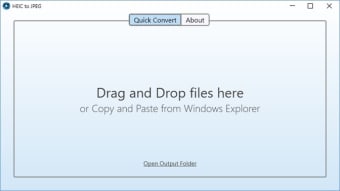
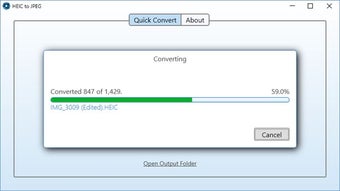
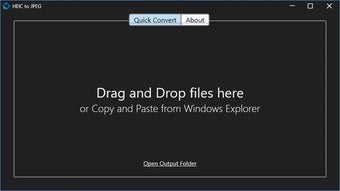
HEIC to JPEG provides fast and efficient processing, even when handling large batches of images. Its intuitive interface allows users to drag and drop files or select entire folders for conversion. Output settings are simple and clear, letting users choose file destinations and naming conventions easily. The straightforward design ensures the program is accessible to users of all technical levels, making it ideal for photography and maintaining consistent, reliable performance.
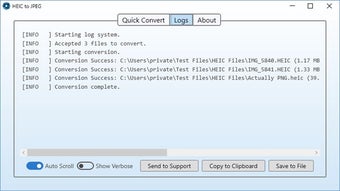
The application maintains the original quality of images during conversion, ensuring minimal loss in clarity, color, or detail, making it ideal for photographers, designers, and anyone handling high-quality images. It also supports batch conversions, allowing multiple multimedia files to be processed simultaneously, reducing manual effort and time. Output files are organized clearly, simplifying workflow and making it easier to manage large collections of converted images efficiently.
A limitation of the app is that it focuses exclusively on HEIC-to-JPEG conversion, without support for other image formats or advanced editing features. Users requiring additional functionality, such as alternative format conversions, image enhancements, or more sophisticated adjustments, will need to rely on separate software. While it excels at its specific task, the narrow scope may be restrictive for those seeking a more comprehensive image management solution.
Reliable tool for simple conversions
HEIC to JPEG is a practical and reliable utility for converting HEIC images to JPEG efficiently. Its fast processing, intuitive interface, and ability to preserve image quality make it suitable for both casual users and professionals. While limited to a single conversion type, its simplicity and focused functionality ensure consistent, hassle-free performance, making it a convenient tool for managing and converting image files quickly.














.png)